Chrome extension — Free (Edge version coming)

Less time hunting for tabs and bookmarks.
More time to think.

Manage bookmarks and tabs together, on one screen.
Tabs are “now.” Bookmarks are your “drawer.”
Put work tabs away by project, and open them all at once.

Open it anytime with Alt+T.

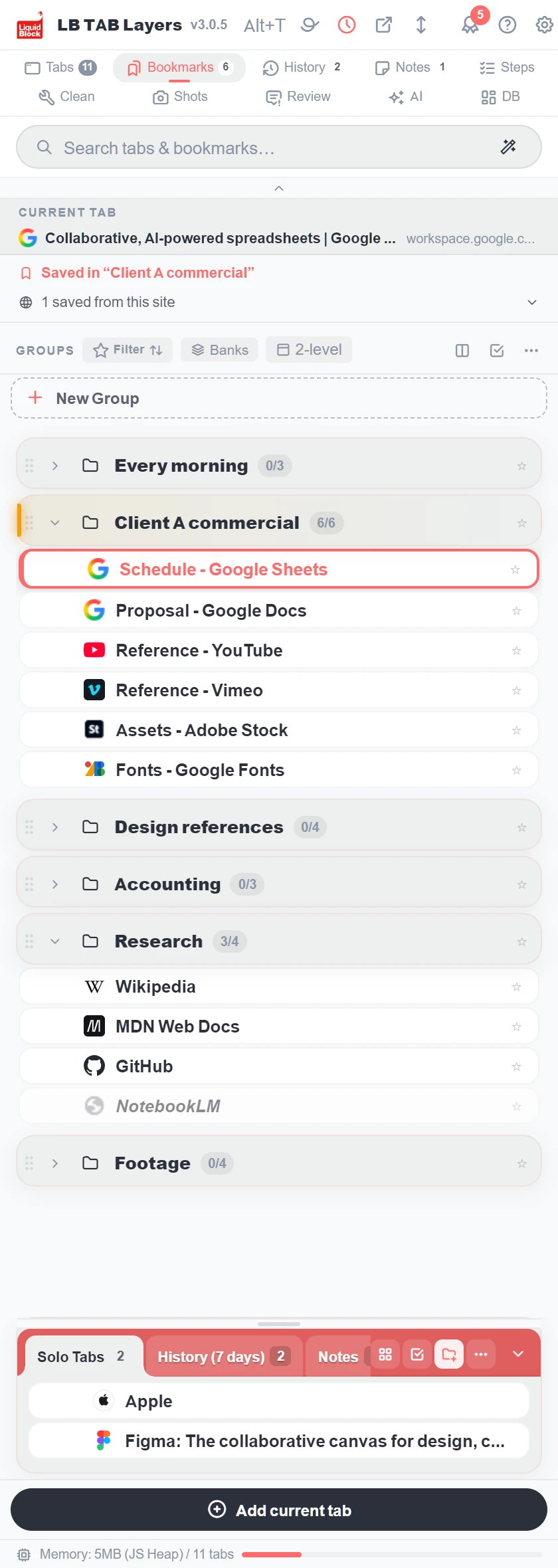
The LB TAB Layers side panel, showing a group for each project and the tabs open now
So many tabs! Where is that bookmark?

Where was
that page?

  • Left openIt feels like closing it means losing it. So it stays open.
  • Hunting aroundA sea of tabs. Five minutes, ten minutes, every day.
  • All goneChrome got slow, you restarted, and the tabs were gone.

Your hands are busy, but the work isn’t moving.
We take that time away.
On your desk, only what you’re doing now.

Things for later go in the drawer.

Now
Tabs
What you’re working on right now.
Drawer
Bookmarks
What you’ll use again later.

Things to do, and things to keep.
Just separating them clears your head.

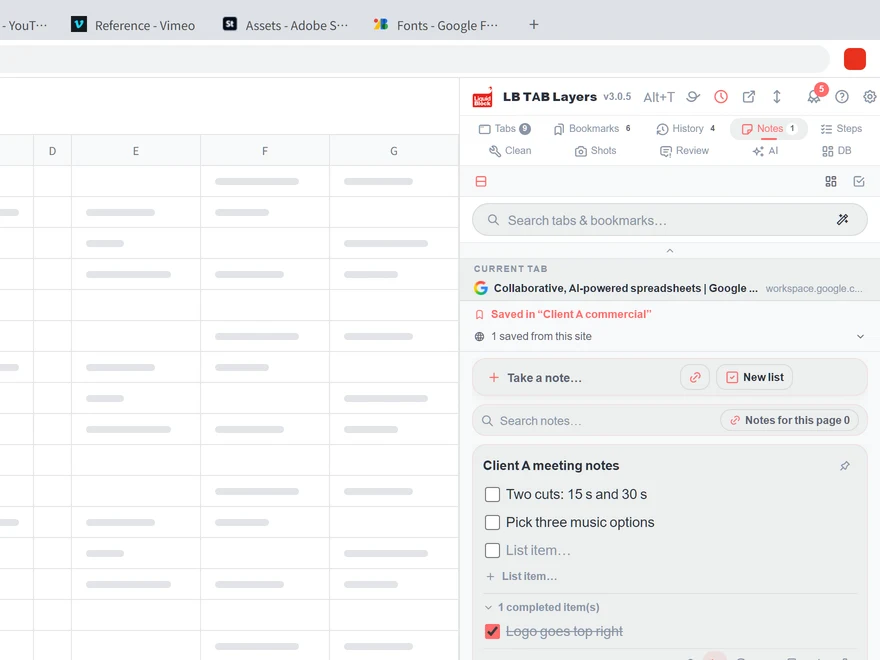
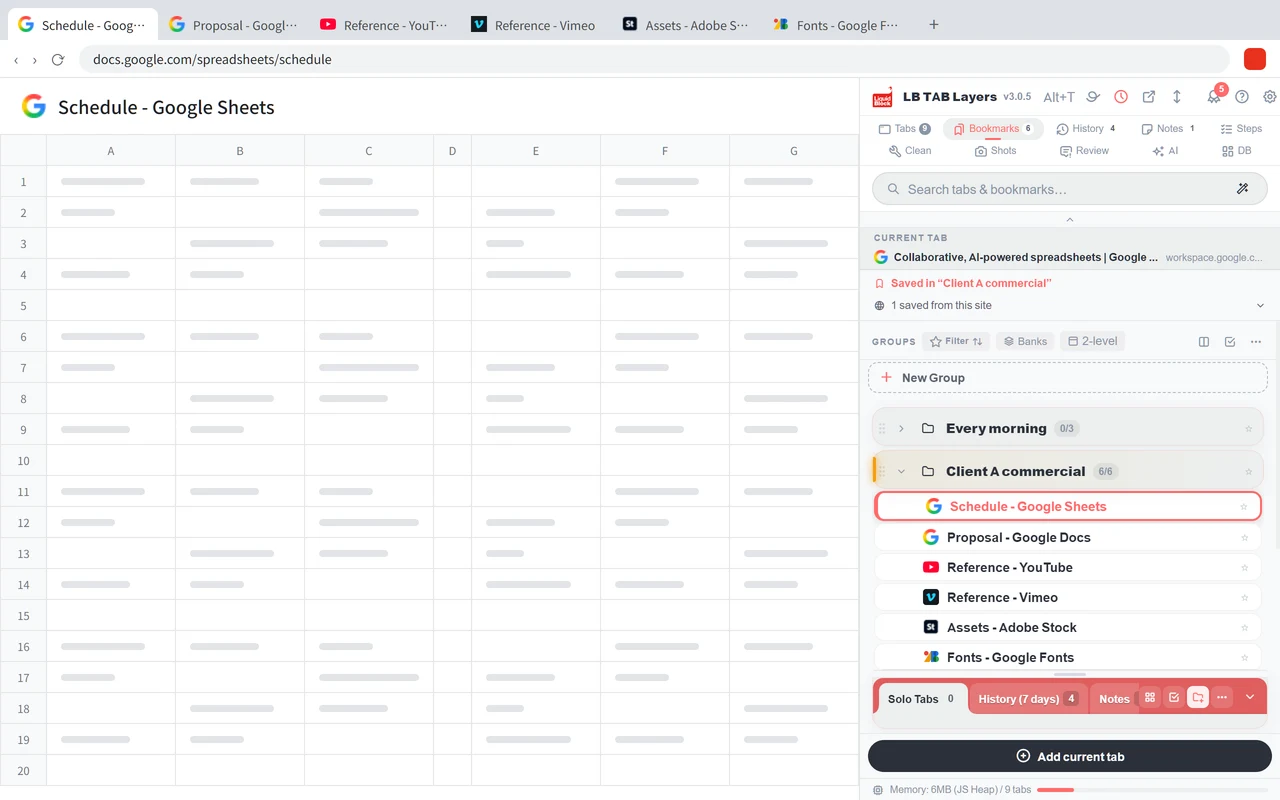
LB TAB Layers on the right side of the browser. The tabs for the project “Client A commercial renewal” sit together as one set
Always this screen, beside your browser. Tabs gather by project.
Put away

Close finished tabs all at once.

Take out

Open a project’s tabs all at once.

Find

Type a few letters and the page turns up.

Tabs and bookmarks in one place

Tabs and bookmarks,
in one place.

The same screen, always beside your browser.
Bookmarks on top, current tabs below.
No going back and forth. You see everything.

Press Alt+T to open it from any page.

Tabs close all at once. They are saved as bookmarks, so nothing is lost

Close them.
They stay.

Tabs are put away into Chrome bookmarks.

  • Restart your computer. They stay.
  • Chrome crashes. They stay.
  • Remove this extension. They stay.

So you can close tabs without worry.

Cut the work that doesn’t need thinking.

Each takes a few seconds. But you do it dozens of times a day.

Reopening yesterday’s tabs every morning
One ▶ opens all of a project’s tabs
Deciding where to put it, every time you save
Right-click and pick the project
Hunting around for that one page
A few letters are enough to find it
Closing finished tabs one by one
■ closes them all. Saved ones stay
Making the same folders for every project
Build the whole structure at once from a template
Capturing screens one by one for a report
Capture them together, straight into PowerPoint
Pausing the video to write revisions in another window
Pause, write right there, Enter

Spend the time you get back on thinking.

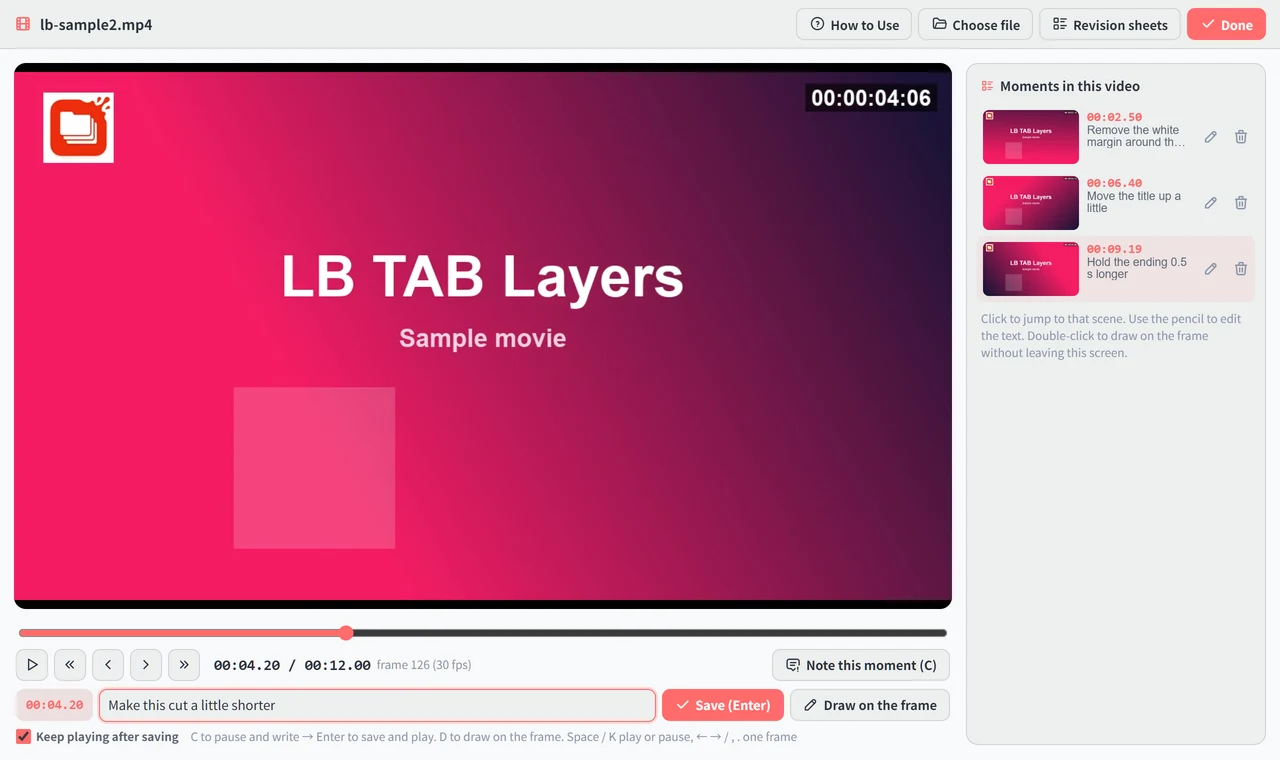
The revision notes screen. Pause the video and write in the field below. Notes line up on the right with their timecodes

Revision notes,
right on a YouTube video.

No need to upload the video again. Write on the one you are watching in your browser: YouTube, Vimeo, Google Drive, or a video embedded in a web page.

  • Pause, write, Enter. Playback continues.
  • You can also draw numbers and lines on the picture.
  • Notes go on a sheet with timecodes. Hand it over as a PDF or PowerPoint.

Made by a video production studio, for our own revision rounds.

Keep using it, and you’ll get there.

At first, tabs and bookmarks are enough.
When you need more, it’s right next door.

The more you use it, the more medals you earn. There’s a small celebration for each first, too.

See all features →

On your work computer, too.

No sign-up

Install it and start using it right away.

Your data stays with you

It’s saved in your own Chrome bookmarks.

No monthly fee

Start free. If you like it, buy it once.

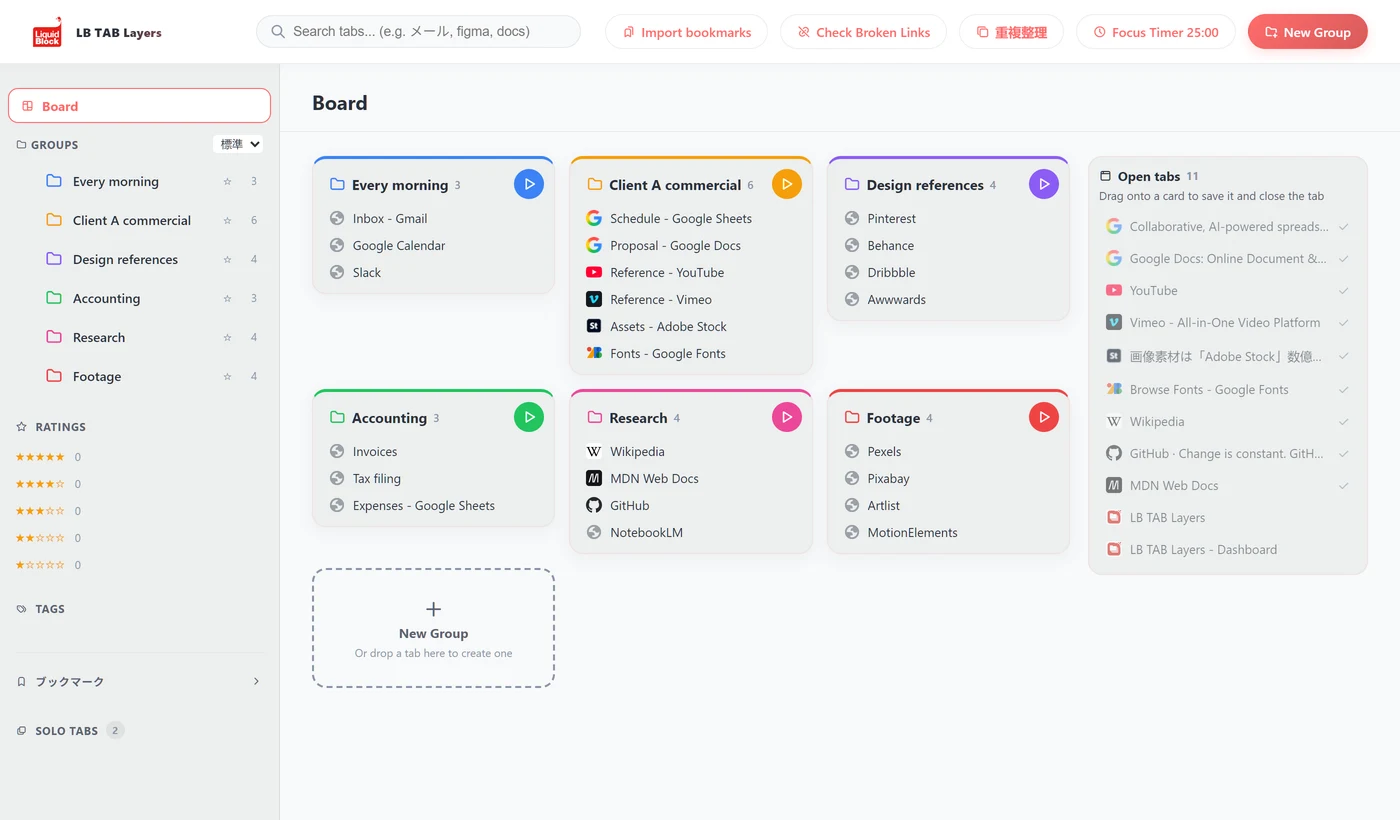
Tabs of reference material for a proposal, tabs of online tools, and lots of AI tabs

Take back
the time to create.

Liquid Block is a studio that makes video and motion graphics. Reference material for proposals, online tools, lots of AI. On a production floor, tabs pile up.

Searching, reopening, rebuilding. We didn’t want that work taking our time to think, so we made this for ourselves.

FAQ

Is it free to use?

Yes. Saving, searching, and opening or closing everything at once are free. For the first 3 months, you can try every feature. PRO is a one-time purchase, with no monthly fee.

What happens to my current bookmarks?

You keep using them as they are. Bring your Chrome bookmarks in as-is and organize them.

What happens to my data if I remove it?

Saved tabs remain as Chrome bookmarks. Settings such as themes and colors are deleted.

Which browsers does it work with?

It works with Google Chrome (114 or later), on Windows, Mac, Linux, and ChromeOS. The Edge version is in preparation.

Start with tabs and bookmarks.

Install it and start using it right away.