For people who want it to look the way they like to work.
Theme PRO
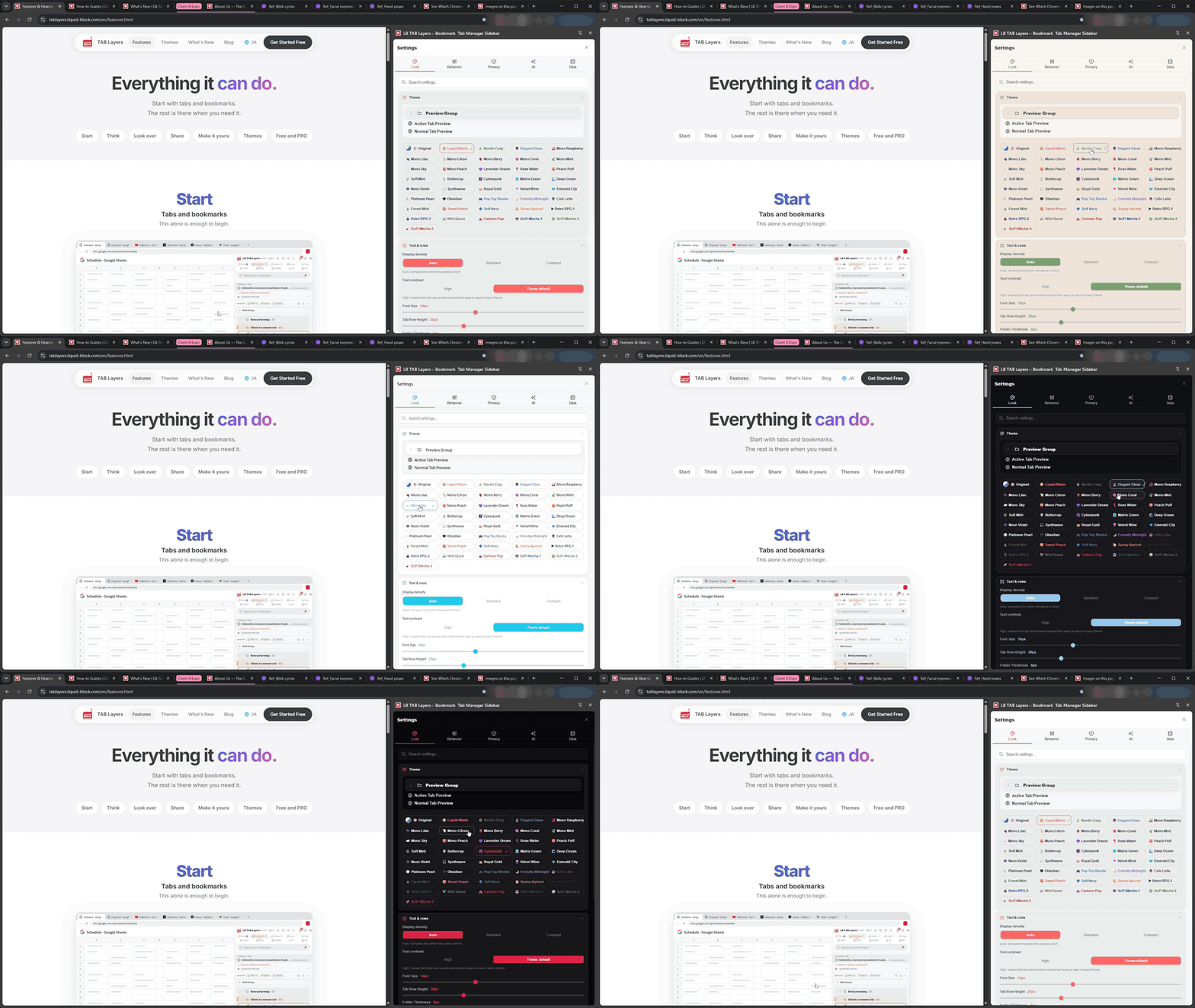
Choose from 40 color schemes (3 on the free plan)
Where: Settings › Look › Theme
Choose from 40 color schemes in Settings › Look › Theme (3 on the free plan). The scheme you choose also applies to the Dashboard and other screens. With PRO, you can also make your own scheme from three colors: background, text and accent.
Choose from 40 color schemes.
Original theme PRO
Make your own color scheme from three colors: background, text and accent
Where: First item in the theme list
From the first item in the theme list, pick three colors (background, text and accent) to make your own color scheme. PRO feature (available during the free trial).
Text & rows
Text contrast, size, row height, weight and tone
Where: Settings › Look › Text & rows
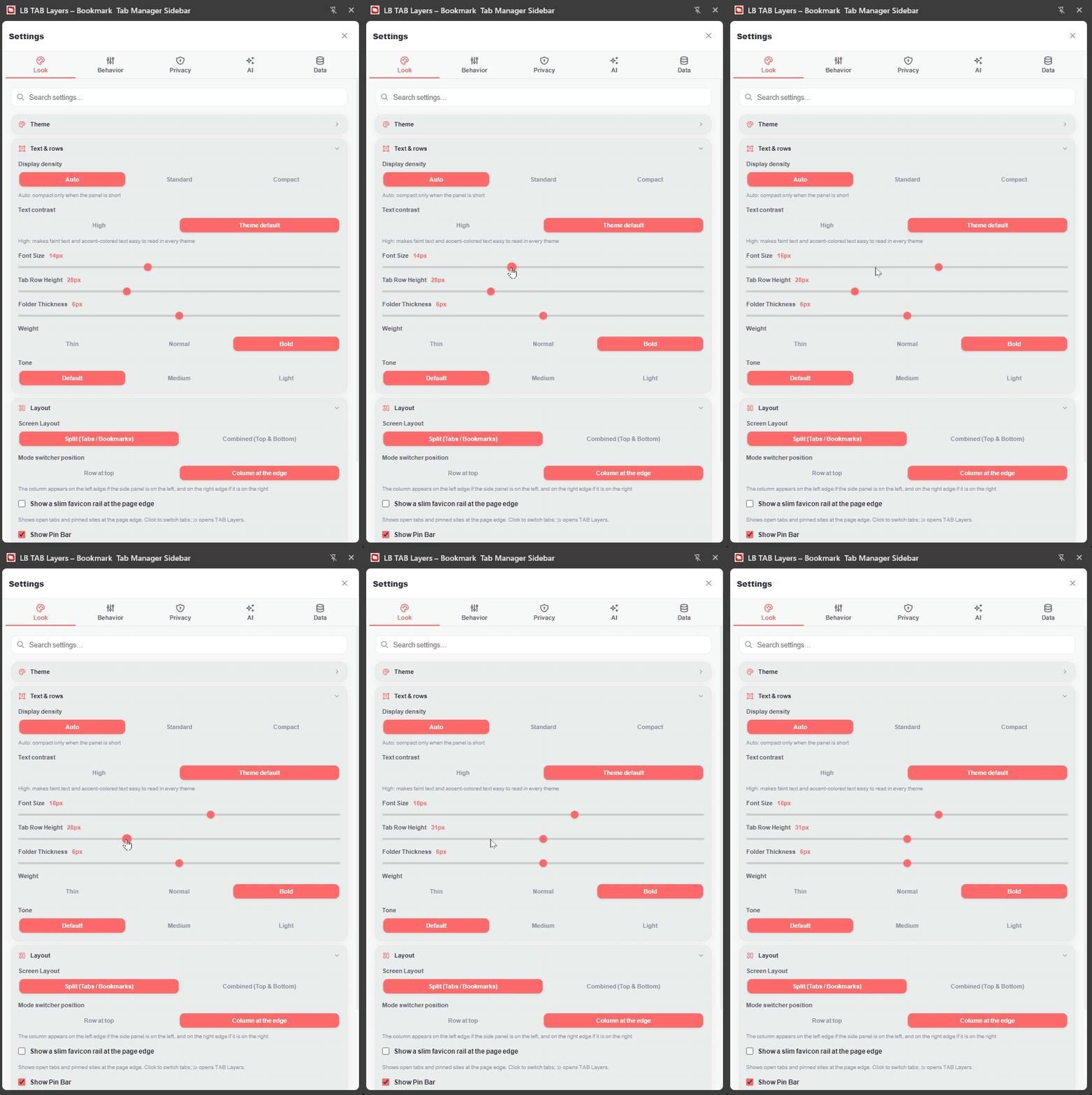
In Settings › Look › Text & rows, change the text contrast, size, row height, weight and tone. Set it to a size that is easy on your eyes.
You can change the text size and the row height, too.
Search settings
Find a setting by typing a word
Where: Top of Settings
Type a word in the box at the top of Settings to find a setting. Handy for settings you can't locate.
Behavior settings
Turn on or off: Chrome tab groups when opening together, notices, and helpful extras
Where: Settings › Behavior
In Settings › Behavior, turn on or off whether groups open as Chrome tab groups, whether notices appear, and whether helpful extras are used.