For people who want to hand what they've gathered to someone else.
Live pen
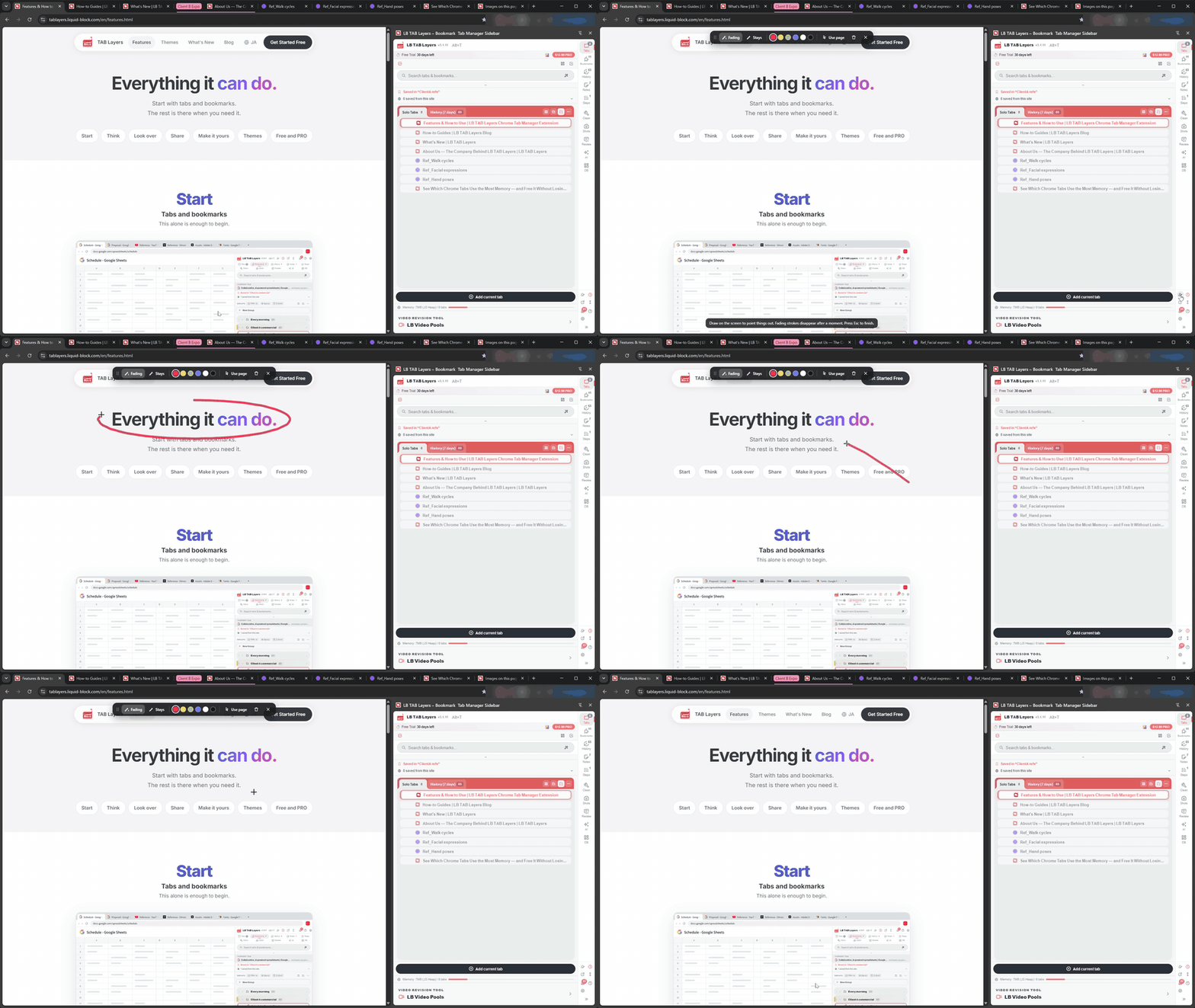
Draw lines right on the page. They fade after about 2 seconds. There is also a pen that stays. Nothing is saved or sent
Where: Bottom of the right rail / Alt+Shift+D
With the live pen you can draw on top of any page. Nothing is saved or sent. Switch between “Fading” and “Stays”, pick from 6 colors, and turn on “Use page” to click the page underneath. Press C to clear everything and Esc to close.
When you share your screen, draw right on the page to make your point. The lines fade after a moment.
Copy as Markdown
Copy a group or tab as text with links
Where: A group's “…” / the buttons on a row
From a group's “…” or the buttons on a row, copy a group or a page as text with links (Markdown). Paste it straight into notes or chat.
Copy & export in bulk PRO
Copy or export the selected items as URLs, titles and URLs, Markdown, HTML or CSV
Where: “Copy” in select mode
In select mode, use “Copy” to copy or export the selected items as URLs only, titles and URLs, Markdown, HTML or CSV. PRO feature (available during the free trial).
Hand to AI PRO
Copy pages and notes together, in a form you can paste into an AI
Where: Right-click a group / select mode
From a group's right-click menu, or in select mode, copy pages and notes together in a form that is easy to paste into an AI. PRO feature (available during the free trial).
Send to NotebookLM PRO
Send the selected pages to a notebook
Where: Right-click / select mode
Send the selected pages to a NotebookLM notebook from the right-click menu or select mode. You need to be signed in to Google. PRO feature (available during the free trial).
Send a note to the post screen of X, Threads, Bluesky and others
Where: The bookmark's note screen
Send a bookmark's note straight to the post screen of X, Threads, Bluesky and other services. You decide there whether to post. You need to be signed in to each service. PRO feature (available during the free trial).
Google Sheets sync
Save groups and bookmarks to a sheet, and restore them from a sheet
Where: Settings › Data
In Settings › Data, save your groups and bookmarks to Google Sheets, or restore them from a sheet. You need to be signed in to Google.